The equation was a screenshot pasted into the claim. Nobody could edit it without breaking the layout
That's the workaround most drafting tools have quietly forced for years: a formula that couldn't be handled as text, so it went in as an image instead. Create now supports equations end to end, across description, claims, and figures, which removes the need for that workaround altogether.
What the screenshot version actually costs
An equation pasted in as an image looks fine until something has to change. Resizing it distorts the layout. Editing it means redoing the image from scratch, in whatever tool produced it originally, then repasting and re-checking that it still lines up. None of that is drafting work. All of it eats time that should have gone into the actual claim language around the equation.
Equations arrive already formatted, not as pictures of themselves
Bring an equation in directly from an Invention Disclosure, and it lands in Create as an actual equation, not an image standing in for one. No retyping, no reformatting, and nothing to redo later if it needs to move or resize.
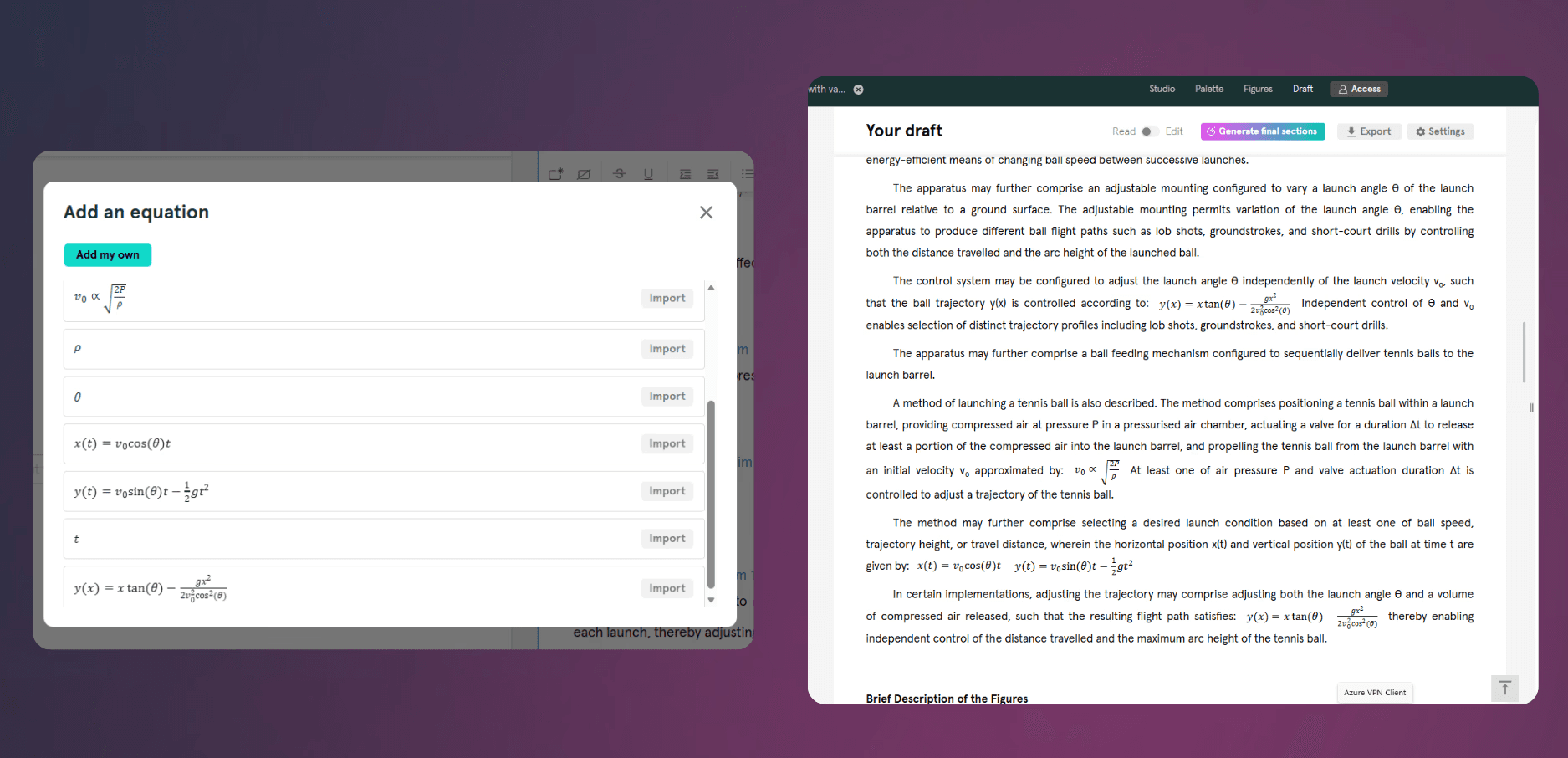
It's also something you can actually talk to Onardo about
Because Onardo can read equations, you can ask questions about one or get help refining the claim language around it, the same way you would with any other part of a draft. A screenshot can't be discussed. An equation that's actually part of the draft can be.
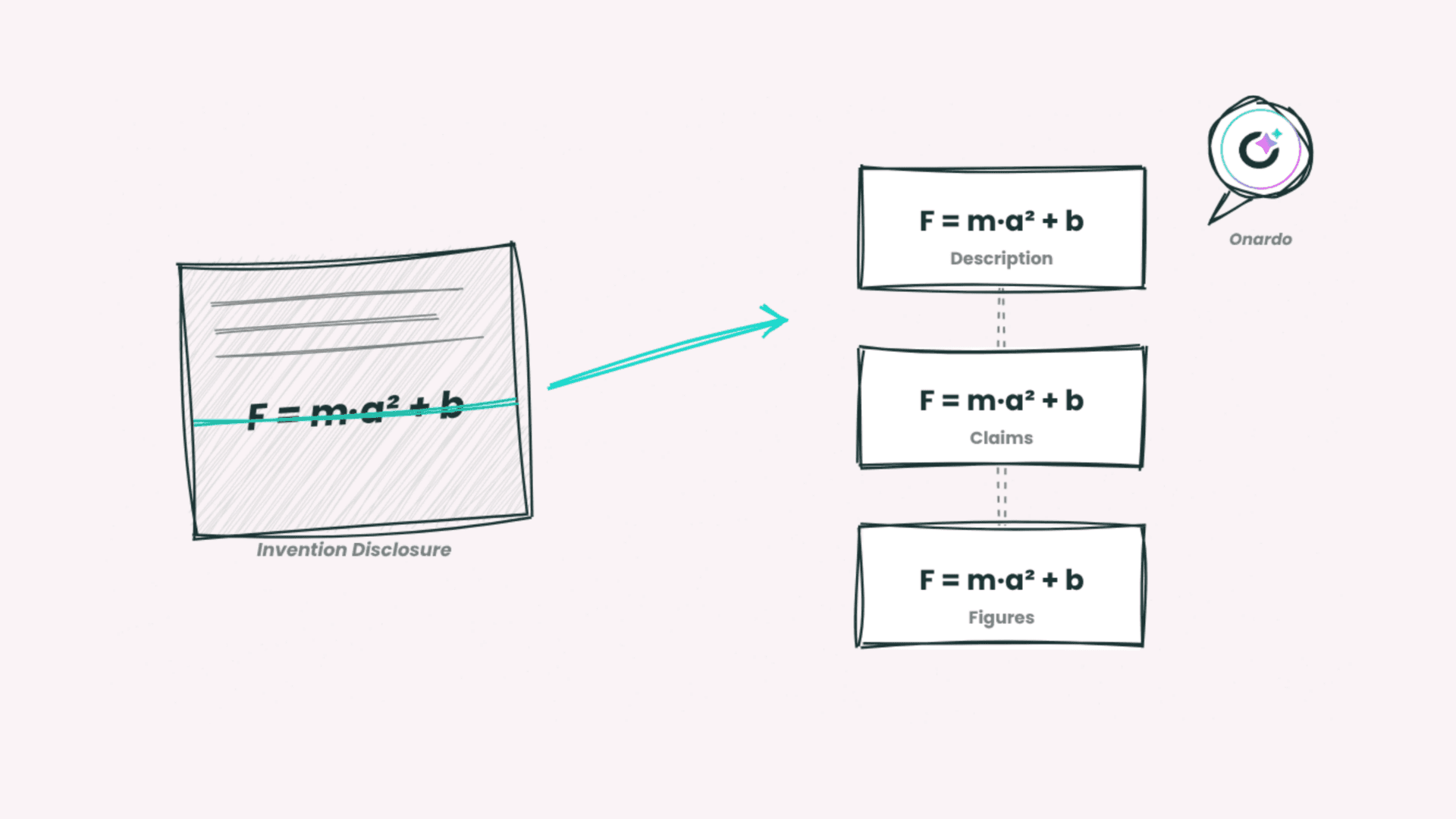
The same equation, everywhere it needs to appear
Whether it's sitting in a claim with a mathematical formula or referenced in a figure, the equation renders properly and stays consistent throughout the draft, rather than needing to be recreated separately each place it shows up.
Create now handles equations across Draft, Claims, and Figures. Book a demo
What the screenshot version actually costs
An equation pasted in as an image looks fine until something has to change. Resizing it distorts the layout. Editing it means redoing the image from scratch, in whatever tool produced it originally, then repasting and re-checking that it still lines up. None of that is drafting work. All of it eats time that should have gone into the actual claim language around the equation.
Equations arrive already formatted, not as pictures of themselves
Bring an equation in directly from an Invention Disclosure, and it lands in Create as an actual equation, not an image standing in for one. No retyping, no reformatting, and nothing to redo later if it needs to move or resize.
It's also something you can actually talk to Onardo about
Because Onardo can read equations, you can ask questions about one or get help refining the claim language around it, the same way you would with any other part of a draft. A screenshot can't be discussed. An equation that's actually part of the draft can be.
The same equation, everywhere it needs to appear
Whether it's sitting in a claim with a mathematical formula or referenced in a figure, the equation renders properly and stays consistent throughout the draft, rather than needing to be recreated separately each place it shows up.
Create now handles equations across Draft, Claims, and Figures. Book a demo