AI Tools for Geospatial Patent Visualization
Intellectual Property Management
May 2, 2026
Compare AI platforms for mapping patents geographically—workflow integration vs imagery-driven heatmaps, features, and pricing.

AI tools are transforming how patent data is analyzed and visualized geographically. They simplify identifying innovation clusters, tracking competitors, and spotting unclaimed opportunities in technology. With millions of patents filed annually, manual analysis is impractical, making these tools essential for patent professionals.
Key Takeaways:
Patently focuses on integrating patent workflows with geospatial analysis. It uses 3D maps, semantic clustering, and collaboration tools tailored for tasks like Freedom-to-Operate analysis and prior art searches. Pricing starts at $125 per user/month.
FlyPix AI specializes in imagery-based geospatial visualization, leveraging satellite and drone data to create detailed heatmaps. It supports custom AI model training and spatial queries. Plans range from a free Basic option to $2,000/month for advanced features.
Quick Comparison:
Feature | Patently | FlyPix AI |
|---|---|---|
Focus | Patent workflow integration | Imagery-based visualization |
Mapping Style | 3D maps, semantic clustering | Heatmaps, satellite imagery |
AI Capabilities | Semantic search, AI assistant | Custom AI model training |
Collaboration Tools | Role-based access, comments | Team editing, map sharing |
Pricing | From $125/user/month | Free to $2,000/month |
Conclusion:
Choose Patently if you need patent-specific tools integrated into legal workflows. Opt for FlyPix AI if your priority is analyzing geospatial data with advanced imagery. Both platforms serve distinct needs, so the best choice depends on your goals.
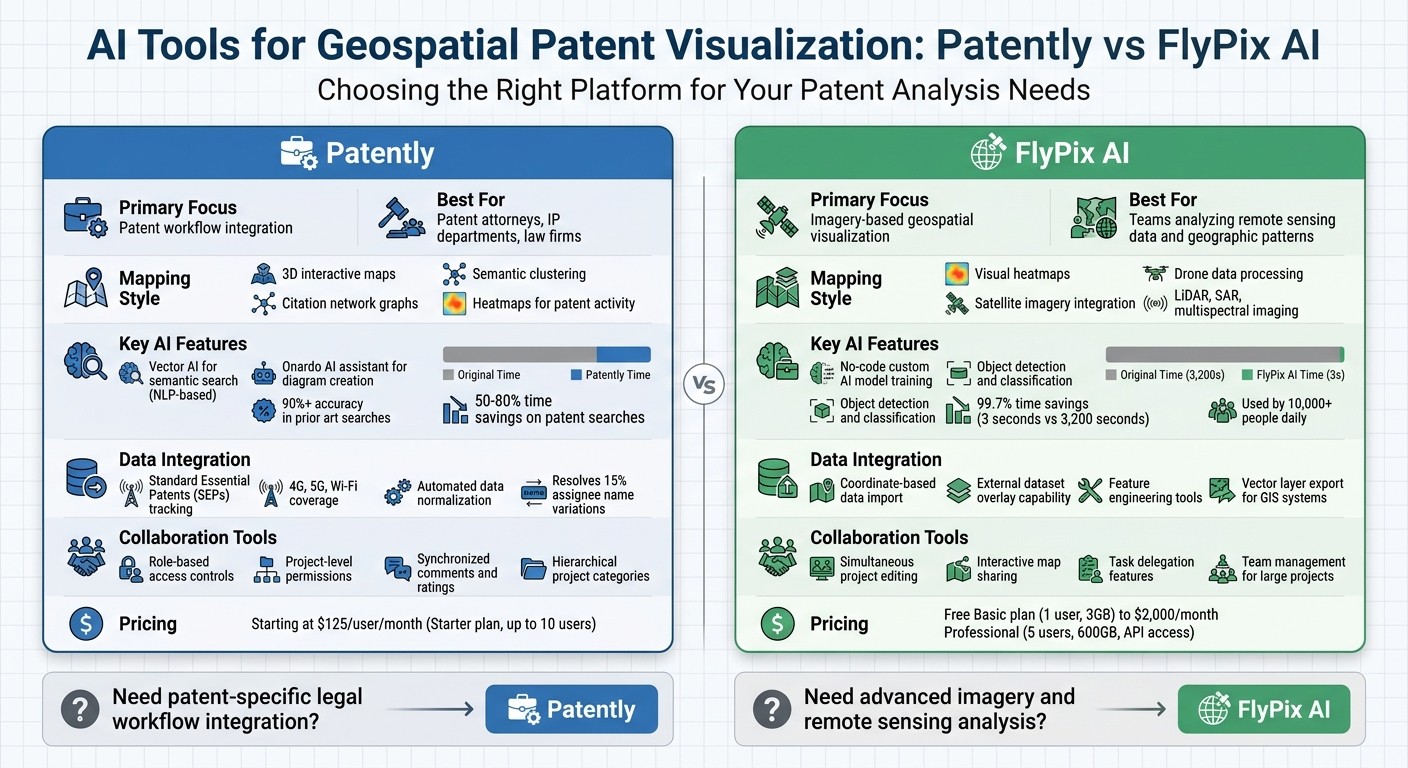
Patently vs FlyPix AI: Feature and Pricing Comparison for Geospatial Patent Analysis
1. Patently
Geospatial Mapping Features
Patently turns patent filings into interactive 3D maps, creating "mountains" to represent areas rich in innovation and "valleys" where opportunities lie. These maps are paired with heatmaps, which highlight geographical and technical hotspots for patent activity.
The platform also features citation network graphs, which visually map connections between patents. By identifying key "hub" patents - those that have significantly influenced later developments - users can better understand the evolution of technologies and pinpoint patents with strategic importance.
Patent Data Integration
Patently's License module provides reliable tracking of Standard Essential Patents (SEPs) across technologies like 4G, 5G, and Wi‑Fi. It offers insights into ownership, geographic distribution, and essentiality. As the company explains:
gives you SEP data you can trust - ownership, geography, essentiality - continually monitored across 4G, 5G, Wi‑Fi, and beyond
. This geographic tracking helps patent professionals evaluate regional patent landscapes, particularly in the telecommunications sector.
The Mine tool goes a step further by mapping patents against technical documents like product specs and standards. This feature contextualizes patent data and ensures visualizations are more meaningful. Additionally, the platform automates data normalization, resolving inconsistencies like the 15% variation in assignee name spellings that can complicate competitive analysis.
AI Capabilities
Patently's Vector AI leverages natural language processing to group patents by meaning rather than just keywords. This semantic clustering allows users to perform natural-language searches that uncover hidden connections and identify untapped opportunities.
The Onardo AI assistant simplifies the creation of editable diagrams and figures from invention disclosures, making it easier to visually represent technical ideas. For landscape analysis, the platform provides an "infinite zoom‑in/zoom‑out" feature, enabling users to explore specific geographic or technical clusters in greater detail within its 3D visualizations.
These AI-powered tools integrate smoothly with the platform's collaboration features.
User Collaboration Tools
Patently supports teamwork with project‑level permissions and strong ethical walls to maintain confidentiality. Teams can structure geospatial projects using hierarchical categories, such as by department, profit center, or client matter. The Rate module enhances collaboration by offering a shared space where team members can leave synchronized comments and ratings on assets. This module is particularly useful for projects like Freedom‑to‑Operate analysis or novelty searches, or competitor analysis, with options to customize workflows.
2. FlyPix AI
Geospatial Mapping Features
FlyPix AI takes geospatial analysis to the next level by focusing on imagery-based visualization. It creates visual heatmaps that reveal patterns and intensities in geospatial data, helping users pinpoint innovation clusters or areas with high patent activity. These heatmaps are tied to exact coordinates, enabling spatial queries and interactive exploration. The platform also monitors changes and anomalies over time while integrating data from various sources like satellite imagery, drones, LiDAR, SAR, and multispectral imaging. This combination provides a detailed and layered view of geographic landscapes .
Patent Data Integration
FlyPix AI allows users to import geospatial data linked to specific coordinates, making it easy to overlay external datasets - such as patent assignee locations - onto geographic layers. For more tailored projects, the platform offers tools for feature engineering and custom model training. Results from these analyses can be exported as vector layers, ensuring smooth integration with GIS systems and decision-making workflows .
AI Capabilities
With its no-code interface, FlyPix AI makes it simple for users to train custom AI models for object detection and classification, even without technical expertise . The platform’s AI agents can identify and outline objects in mere seconds, drastically reducing the time needed for manual annotation. For example, tasks that would take a human roughly 3,200 seconds can be completed in just 3 seconds - saving up to 99.7% of the time. FlyPix AI is already used by over 10,000 people daily.
User Collaboration Tools
FlyPix AI streamlines teamwork by enabling simultaneous project editing, making it easier to share and delegate tasks like data annotation. Advanced plans support sharing interactive maps and publishing results, with robust access controls and team management features for large-scale projects. Pricing starts with a free Basic plan, which includes 1 user seat and 3GB of storage. For more advanced needs, the Professional plan costs $2,000 per month and includes 5 user seats, 600GB of storage, and API access.
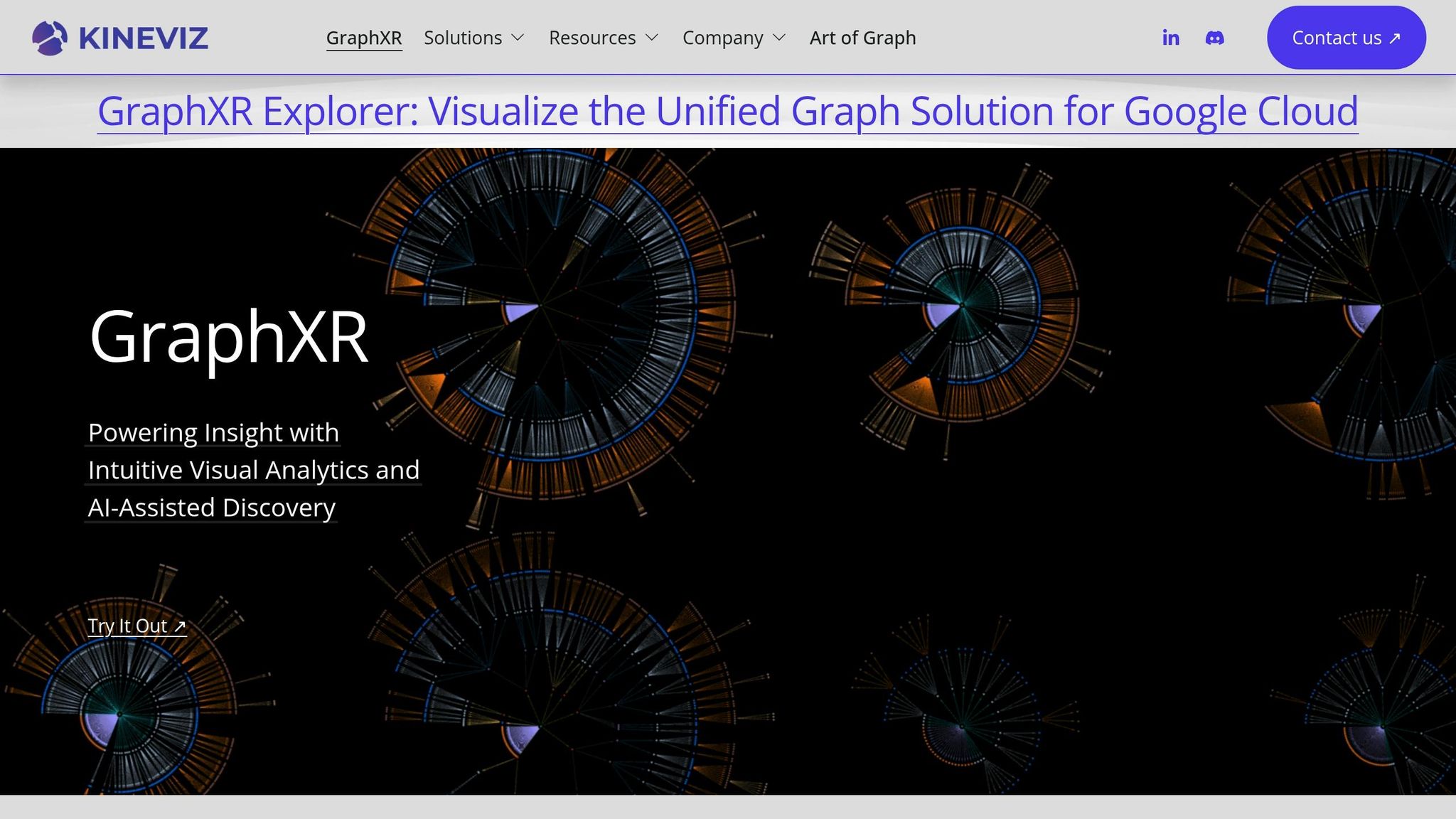
Patent Intelligence Re-imagined with Kineviz GraphXR and Google Cloud Platform BigQuery Graph
Strengths and Weaknesses
Looking at the key features of these platforms, here's how their strengths and weaknesses stack up.
Patently is designed for patent professionals, offering an integrated workflow that connects semantic search directly to tasks like drafting or prosecution. Its structured project workspaces provide teams with role-based access controls, making it a solid choice for initiatives like M&A analysis. However, its geospatial capabilities are narrowly focused on patent-specific workflows, which might not meet the needs of users requiring extensive satellite or drone data integration.
FlyPix AI, on the other hand, shines in imagery-based visualization. It processes satellite imagery, LiDAR, SAR, and multispectral data to create detailed heatmaps, pinpointing innovation clusters with geographic accuracy. The downside? It doesn’t integrate patent workflows, so users need to manually overlay patent data.
When it comes to pricing, Patently offers a clear structure starting at $125 per user per month for its Starter plan, which includes semantic search and team collaboration for up to 10 users.
Ultimately, the choice between these tools depends on whether you prioritize patent workflow integration or advanced imagery mapping. Each has its trade-offs, so it’s all about finding the right fit for your needs.
Conclusion
The main distinction lies in integration versus imagery specialization. Patently seamlessly weaves geospatial visualization into legal workflows, making it especially useful for patent attorneys, IP departments, and law firms handling portfolio management and due diligence. With features like robust semantic search and project management tools, it ensures patent data and geographic insights stay interconnected. This simplifies tasks like Freedom to Operate analyses and prior art searches. For instance, AI-powered prior art search tools now boast over 90% accuracy, and organizations leveraging advanced AI analytics report saving 50–80% of the time typically spent on patent searches. These figures highlight the efficiency gained through integrated legal workflows. Plus, Patently’s pricing adapts to teams of various sizes, from small groups to large enterprises.
On the other hand, FlyPix AI caters to users focused on geospatial visualization of remote sensing data. This makes it a strong choice for teams aiming to identify geographic patterns linked to innovation. Both platforms demonstrate how AI enhances the analysis of geospatial patent data, but each is tailored to different user needs.
Choosing the right platform depends on what matters most to you. If your priority is streamlined legal workflow integration and smooth patent data management, Patently’s all-in-one solution boosts efficiency. However, if your work revolves around extracting detailed geospatial insights from imagery, FlyPix AI is better suited to meet your needs for in-depth imagery analysis.
FAQs
How does geospatial patent visualization help with Freedom-to-Operate work?
Geospatial patent visualization plays a key role in Freedom-to-Operate (FTO) analysis by revealing hidden connections between technologies, identifying gaps in existing intellectual property (IP), and making intricate IP landscapes easier to understand. This approach helps streamline communication with stakeholders, supports more informed decisions, and reduces the chances of patent infringement.
What data do I need to create accurate patent maps in Patently?
To build precise patent maps using Patently, you'll need comprehensive patent data. This includes documents, citations, classifications, and related metadata. Patently leverages this information to automatically organize topics and create AI-powered visualizations. These visual tools help you spot trends and gain insights into patent landscapes with ease.
How does semantic clustering differ from keyword patent searching?
Semantic clustering takes a different approach compared to traditional keyword searching. Instead of relying on predefined terms, it uses AI to group patents based on underlying concepts and relationships. This method uncovers connections, trends, and opportunities that keyword searches might overlook. By offering a broader perspective of patent landscapes, it helps users spot untapped areas and make smarter decisions in research and development.