How do I search for patents?
Intellectual Property Management
Aug 11, 2025
Learn how to conduct effective patent searches using tools, strategies, and classification systems to uncover relevant patents and avoid infringement.
To search for patents effectively, start by understanding why it matters: patent searches help avoid infringement, assess novelty, and evaluate market opportunities. The process involves using tools like the USPTO Patent Public Search, WIPO PATENTSCOPE, and EPO Espacenet, combined with classification systems like the Cooperative Patent Classification (CPC) for precision. Here's how to get started:
Define your goal: Are you checking novelty, freedom-to-operate (FTO), or analyzing competitors?
Build a keyword list: Use technical terms, synonyms, and industry-specific language.
Leverage classification codes: CPC and IPC systems help target specific technical areas.
Use databases: Combine keyword and classification searches in platforms like USPTO, WIPO, or EPO.
Analyze results: Focus on abstracts, claims, and cited references to assess relevance.
For advanced searches, AI tools like Patently can simplify the process by identifying related concepts and trends. Always document your search strategy and findings for future reference.
How to do a Patent Search? In-Depth Patent Search Tutorial
Patent Search Basics
To conduct effective patent research, it's crucial to understand how patent documents are structured and how classification systems work. These fundamentals streamline your search process, making it easier to find relevant patents in a sea of technical information.
How Patent Documents Are Organized
Patent documents follow a consistent format globally, which makes navigating them more straightforward once you know what to look for. The front page is like a snapshot, packed with essential details: the title, names of the inventor and applicant, application and publication numbers, filing and publication dates, assignee information, and classification codes. These elements provide a quick overview of the patent and its place in the technical world.
The abstract gives you a concise summary of the invention, helping you decide if the document is worth a deeper dive. Drawings are another helpful feature, offering a visual breakdown of complex ideas. The detailed description (or specification) explains the invention in depth, often introducing technical terms that can expand your search keywords. The claims section is where the legal boundaries of the patent are defined, making it key for assessing relevance. Finally, the "References Cited" section lists prior art, which can lead you to other related patents and expand your research further.
When using tools like USPTO Patent Public Search, start with the abstract and drawings to quickly filter through results. Then, review the independent claims to judge if the patent is relevant. From there, the detailed descriptions and citations can help you uncover additional keywords and classification codes. Understanding this structure enables you to make the most of patent classification systems.
How Patent Classifications Work
Once you're familiar with patent document structure, classification systems become your next best tool. These systems group patents by technical area, allowing you to go beyond basic keyword searches for more precise results. The two main systems you'll encounter are the International Patent Classification (IPC) and the Cooperative Patent Classification (CPC).
The IPC, managed by the World Intellectual Property Organization (WIPO), is a global standard with roughly 70,000 codes. It organizes inventions into sections, classes, subclasses, groups, and subgroups, making it a cornerstone for international patent searches.
The CPC, jointly run by the European Patent Office (EPO) and the USPTO, builds on the IPC by adding more detailed categories. It also includes Section Y, which tags new technological developments - a handy feature for emerging fields that don’t fit neatly into existing classifications.
Classification System | Managing Body | Number of Codes | Special Features |
|---|---|---|---|
IPC | WIPO (global) | ~70,000 codes | Standard for international searches |
CPC | EPO and USPTO | Extension of IPC | Section Y for emerging technologies |
To find the right classification codes, you can take two approaches. The top-down method involves browsing through high-level categories and drilling down into specific subgroups using tools like CPC tables or IPC guides. The bottom-up method starts with keyword searches to find a few relevant patents, then uses their classification codes to refine your search. For instance, if you're researching hair brush innovations, you might find the CPC code A46B 2200/00 and explore related subgroups for features like ergonomic designs or unique bristle materials.
The CPC system is regularly updated to reflect new advancements - the current version is 2025.08 - so it’s a good idea to check for updates during ongoing searches. This ensures you're working with the latest classifications.
Using classification codes in combination with targeted keywords can significantly improve your search results. Tools like USPTO Patent Public Search or EPO Espacenet allow you to leverage these codes for precise and comprehensive results, even when inventors use different terminology to describe similar concepts. This dual approach ensures you're covering all your bases in your technical area.
Patent Databases and Search Tools
Understanding patent structures and classification is just the start. The next step is knowing where and how to search. Below, we’ll explore some key databases and tools that can make your research faster and more effective.
USPTO Patent Public Search
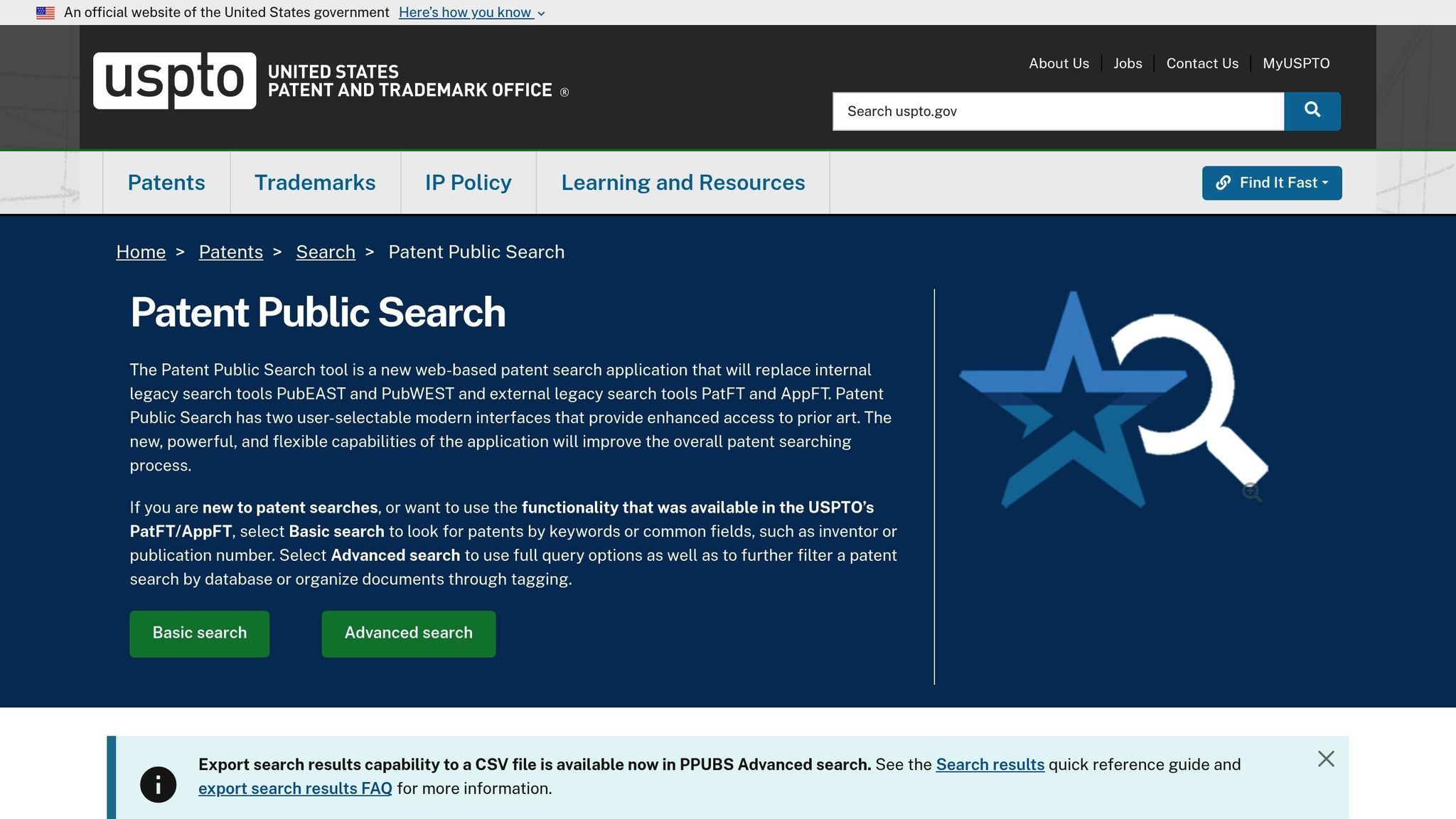
If you're focused on U.S. patents, the USPTO Patent Public Search is an indispensable tool. Replacing the older Public PAIR system in 2022, this free database offers access to over 11 million U.S. patent documents dating back to 1790. Its robust search capabilities and extensive coverage make it a standout resource.
One of its greatest strengths is Boolean search functionality, which allows you to zero in on specific fields like titles, abstracts, claims, inventor names, assignees, and classification codes. The platform also supports advanced techniques like wildcard characters, proximity searches, and date range filters, making it ideal for tackling complex technical queries.
Another helpful feature is the Citation Tree, which visually maps patent references. This tool is invaluable for tracing the development of technologies and identifying key patents in a field. Additionally, the database integrates seamlessly with CPC and IPC classification codes, letting users combine keyword searches with classification browsing for more thorough results.
For U.S.-centric research, this platform is hard to beat. Whether you’re tracking legal statuses, examining prosecution histories, or monitoring specific inventors or companies, the USPTO Patent Public Search offers unparalleled utility.
WIPO PATENTSCOPE and EPO Espacenet
When your research extends beyond the U.S., WIPO PATENTSCOPE and EPO Espacenet are essential tools. Both platforms provide access to a vast array of international patent documents, but each has unique strengths.
WIPO PATENTSCOPE boasts a collection of over 100 million patents from more than 50 patent offices worldwide. Its standout feature is its multilingual functionality, which breaks down language barriers. With its CLIR (Cross-Lingual Information Retrieval) tool, you can search in one language and discover patents published in others - a game-changer for global technology research.
Meanwhile, EPO Espacenet covers patents from over 90 countries and offers refined classification searches. It also includes machine translation in 32 languages, making it easier to analyze patents from non-English-speaking regions. Its family grouping feature is particularly useful for understanding how an invention is protected across different jurisdictions.
Both platforms excel at identifying patent families, which are groups of patents filed in different countries for the same invention. This is crucial when assessing global protection scopes or uncovering potential freedom-to-operate issues.
Database | Coverage | Key Strengths | Best Use Cases |
|---|---|---|---|
USPTO Patent Public Search | 11+ million U.S. documents | Advanced Boolean search, Citation Tree | U.S.-focused research, legal status tracking |
WIPO PATENTSCOPE | 100+ million global documents | Multilingual search, CLIR technology | International research, overcoming language barriers |
EPO Espacenet | 90+ countries, European focus | Patent families, machine translation | European markets, family analysis |
Using AI Tools like Patently
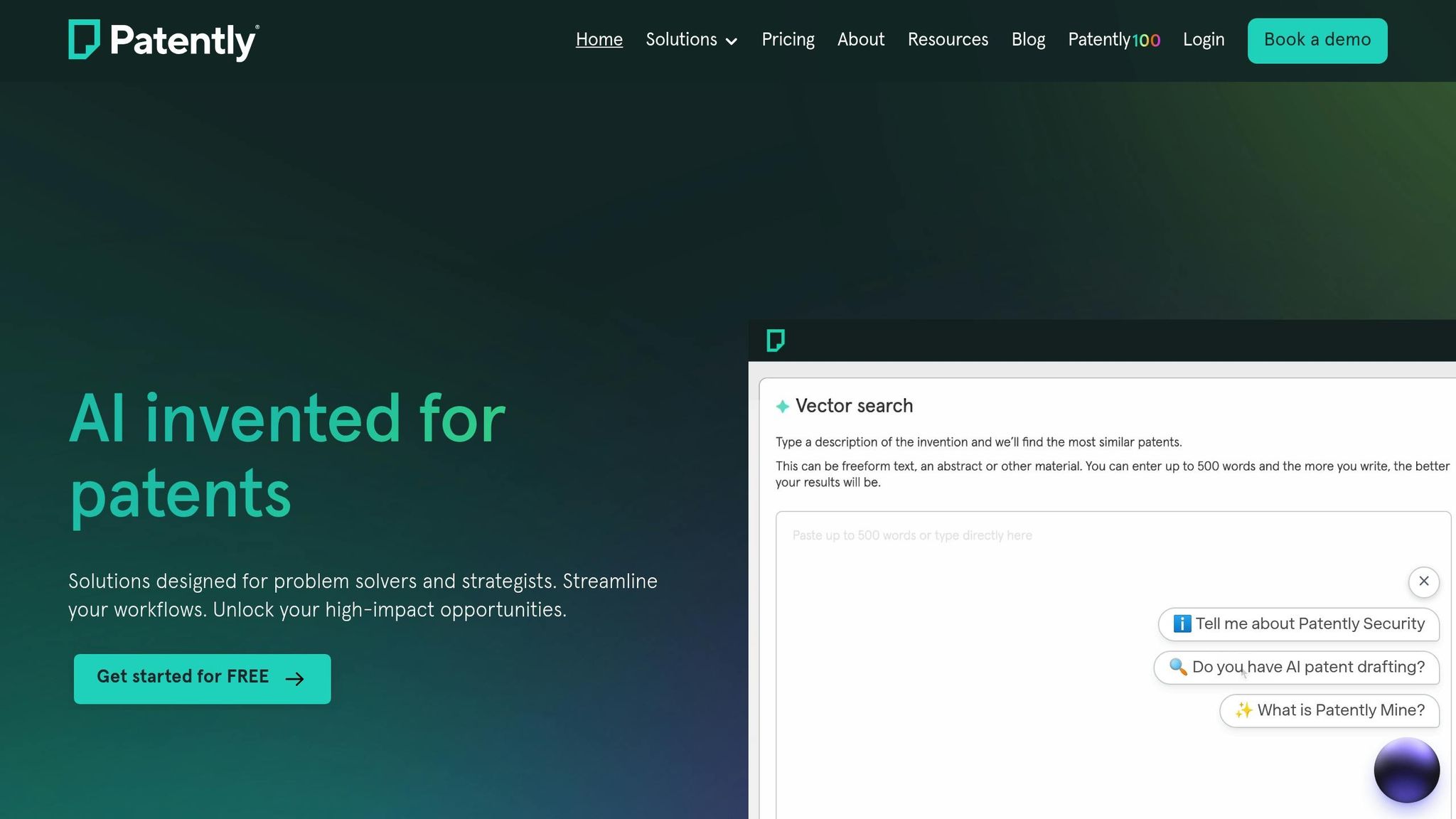
For a more modern approach, AI-powered platforms like Patently bring a whole new level of efficiency to patent research. Unlike traditional databases that rely on keyword matches, Patently uses semantic understanding to uncover relevant patents based on the meaning of your query.
With its Vector AI semantic search, Patently can identify connections between technical concepts, even when different terms are used. For instance, a search for "wireless charging" can also surface patents related to "inductive power transfer" or "contactless energy transmission", which traditional keyword searches might overlook.
Patently also includes a Forward and Backward citation browser, offering interactive maps that show how technologies evolve over time. This feature helps you identify influential patents and spot emerging trends in your field. It’s a great way to uncover unexpected links between seemingly unrelated technologies.
Another standout feature is the platform’s project management tools. You can organize searches into projects, track your progress, and collaborate with team members in real time. Custom tagging options let you categorize patents based on your own criteria, and fee tracking ensures you stay on top of maintenance costs - particularly useful for competitive intelligence.
Lastly, the analytics dashboard simplifies data analysis. It highlights active inventors, tracks filing trends, and identifies potential technology gaps that could represent new opportunities. With export options, you can easily create professional reports or integrate your findings into larger research projects.
For professionals dealing with multiple clients or navigating complex technology landscapes, Patently’s blend of AI-driven search capabilities and organizational tools can save time and uncover insights that traditional methods might miss.
How to Conduct a Patent Search
Now that you’re familiar with the databases and tools available, it’s time to dive into the actual process of conducting a patent search. A solid patent search combines strategic keyword selection, classification code usage, and thorough result analysis.
Finding Keywords and Synonyms
The first step in any effective patent search is to translate your invention into searchable terms. Start by drafting a one-sentence summary of your invention, focusing on the problem it solves and how it works. This helps you pinpoint the key functions, components, and applications that will form the basis of your keyword list.
For example, if you’re researching patents for a "folding kayak seat with lumbar support", your initial keywords might include terms like kayak, canoe, seat, folding, collapsible, backrest, and lumbar. From there, expand your list by adding technical terms, industry-specific jargon, and related measurements. For instance, consider materials (like aluminum) or U.S. units of measurement (inches, pounds, etc.), as many U.S.-filed patents use these standards.
To make your search more comprehensive, think about your invention from multiple angles:
What problem does it solve? (e.g., comfort, portability)
What technical components are involved? (e.g., hinges, cushioning, ergonomic design)
What industries might use it? (e.g., watercraft, marine gear, recreational vehicles)
As you explore, extract keywords from patents you find relevant. Patent documents often use highly specific technical language, so adding these terms to your list can significantly improve your search accuracy. Keep refining your keywords as you go - this iterative process will help you zero in on the most relevant results.
Once you’ve built a strong keyword list, it’s time to narrow your search using classification codes.
Using Classification Codes to Narrow Results
Keywords are great for casting a wide net, but classification codes are essential for precision. These codes, like CPC (Cooperative Patent Classification) or IPC (International Patent Classification), help you target specific areas of technology.
Here’s a step-by-step guide to using classification codes effectively:
Start with keywords: Conduct an initial search to identify 3–5 relevant patents. Look at the classification codes listed in these patents.
Identify recurring codes: Pay attention to codes that appear in multiple documents. These are likely the most relevant to your invention.
Verify definitions: Check the definitions and notes for the CPC/IPC codes to ensure they align with your invention’s scope. Cross-references in the classification system can also guide you to narrower subgroups or related categories.
Test the codes: Use these classification codes in your searches. For U.S. patents, try the USPTO Patent Public Search tool, combining CPC/US classifications with keywords in fields like Title, Abstract, or Claims. For international searches, use WIPO PATENTSCOPE or EPO Espacenet with the appropriate filters.
Refine as needed: If your results are too broad, narrow down by focusing on more specific subgroups. If they’re too narrow, consider higher-level categories or related sibling groups.
By combining keywords with classification codes, you can create a highly targeted search strategy. Once you’ve refined your results, the next step is to review them systematically.
Reviewing and Refining Search Results
To evaluate patents effectively, focus on key sections like the Title, Abstract, Classification Codes, and Independent Claims. Here’s how to prioritize your review:
Title and Abstract: These give a quick snapshot of the invention’s purpose and key features. Use them to weed out irrelevant results quickly. Pay attention to the technical language, as it might suggest better terms for future searches.
Classification Codes (CPC/IPC): Even if a patent’s title looks relevant, mismatched classification codes can indicate it addresses a different issue. Conversely, patents with matching codes but unfamiliar terminology might still be worth exploring.
Independent Claims: These define the broadest scope of the patent’s protection. Start with Claim 1 and other independent claims to identify structural or functional similarities to your invention.
Drawings and Figures: Visuals can often reveal details that aren’t immediately clear from the text, helping you determine if the invention operates in a similar way to yours.
Don’t stop at individual patents - use citation analysis to expand your search. Backward citations (prior art cited in the patent) and forward citations (later patents that reference it) can lead you to other relevant documents, including highly influential patents in your field.
Finally, keep a detailed log of your search process. Include:
Databases and tools used
Search queries and operators
Applied filters and classification codes
Results and key findings
Documenting your strategy not only helps you reproduce or update your search later but also ensures you’ve covered all angles. Over time, your refined queries will give you a clear picture of the prior art landscape for your invention.
Patent Search Best Practices
Conducting an effective patent search involves more than simply knowing where to look or how to phrase a query. The difference between a basic search and a thorough one often lies in following proven methods that ensure your process is detailed, accurate, and easy to replicate.
Recording Search Strategies and Results
Keeping a detailed record of your search process is essential. A well-maintained search log not only helps you retrace your steps but also ensures consistency if you need to revisit or expand your research.
Start by noting the date and time of each search session, as patent databases are updated frequently. Document the databases you used - such as USPTO Patent Public Search, WIPO PATENTSCOPE, or EPO Espacenet - and include the exact search strings and Boolean operators. For example, instead of vaguely writing "searched folding kayak seats", specify your query: (folding OR collapsible) AND (kayak OR canoe) AND (seat OR backrest).
When using classification codes like CPC or IPC, record not only the codes themselves but also the reasoning behind their selection. Note which patents led you to those codes to create a clear trail of your decision-making process. This will help you expand your search into related fields without starting from scratch.
For key patents, log publication numbers, filing dates, and assign relevance ratings. A simple system - like "highly relevant", "somewhat relevant", or "not relevant" - along with brief notes on why you categorized them that way can save time later and help you identify trends in the prior art.
Finally, document both successful and unsuccessful queries. Understanding what didn’t work is just as important as knowing what did. With a complete record, you can refine your approach and expand your search across multiple databases.
Checking Multiple Databases
To ensure a comprehensive search, cross-check your results across several databases. While the USPTO Patent Public Search is a go-to for U.S. patents, international patents may be better covered by WIPO PATENTSCOPE or EPO Espacenet. Each database has unique strengths and limitations, so using multiple sources reduces the risk of missing critical prior art.
Begin with your primary database - usually USPTO for U.S.-focused searches - and then confirm your findings in at least one other major database. This isn’t about finding entirely different results but ensuring you haven’t overlooked something due to database-specific gaps or indexing issues.
Be mindful of search interface differences. For instance, the USPTO’s system might use TTL/(folding AND kayak), while EPO Espacenet requires ti=(folding AND kayak). Keeping notes on these syntax variations will make cross-database searches more efficient.
Geographic coverage is another critical factor. If your invention has global potential, don’t limit your search to U.S. patents. European, Japanese, and Chinese patents often provide insights into developments that may not appear in U.S.-focused databases, especially in industries that vary across regions.
Lastly, consider the time lag in database updates. Newly published patents might show up in one database before another. Checking multiple sources ensures you’re seeing the most current prior art landscape.
Using AI for Better Search Results
AI tools are transforming patent searches by going beyond traditional keyword matching to uncover deeper connections. These tools, when combined with manual methods, can enhance the accuracy and scope of your research.
Take advantage of platforms like Patently, which use semantic search powered by Vector AI. This technology identifies conceptual relationships between terms, making it easier to find relevant patents even when they use different terminology. For instance, you might discover patents that describe similar inventions in unexpected ways, bypassing the limitations of keyword-only searches.
AI citation browsers are another powerful tool. They allow you to visualize how patents are interconnected, making it easier to identify key prior art without manually tracing citations across multiple databases.
For more complex searches, project management features can help you stay organized. Tools like hierarchical project categorization allow you to sort results by technology area, filing date, or relevance. This organization makes it easier to spot trends and gaps in your research.
If you're working as part of a team, collaboration tools can streamline the process. These features let multiple researchers contribute to the same project while maintaining access controls to protect sensitive information.
AI tools also offer analytics capabilities that provide a broader view of your technology area. You can track which companies are filing the most patents, monitor filing trends over time, and identify emerging technologies that could influence your strategy.
Conclusion: Improving Your Patent Search Skills
To excel at patent searches, you need a mix of tried-and-true techniques and modern tools. Pairing targeted keywords with precise CPC/IPC codes and leveraging AI tools can help you uncover comprehensive and accurate results. While keywords are essential, the CPC system - managed by the USPTO and EPO - adds a layer of precision that keyword searches alone might miss. With its nine sections (A–H, Y), this classification system allows for a highly detailed approach. By selecting 2–4 relevant CPC codes and combining them with carefully chosen keywords using Boolean operators, you can achieve both broad and precise results.
A consistent workflow is key. Start by defining your invention using U.S.-style terminology and relevant synonyms. Next, map your invention to appropriate CPC/IPC classifications using the official CPC tables. Then, conduct searches across multiple databases, beginning with the USPTO Patent Public Search. Finally, document your findings meticulously, using U.S. date formats (MM/DD/YYYY) for clarity and future reference. This structured process ensures your searches are repeatable and reliable - critical when making decisions about intellectual property.
In addition to traditional methods, tools like Global Dossier can add valuable context to your search. This resource offers insights into patent families, office actions, and citation patterns across major patent offices. It can reveal prosecution histories and related filings, often uncovering prior art that text-based searches might miss. By using Global Dossier alongside databases and AI tools, you can gain a broader view of technology trends and patent landscapes.
AI tools, such as Patently's semantic search, can also streamline your efforts. These tools go beyond simple keyword matching, uncovering patents that use different terminology but share relevant concepts. However, AI outputs should be treated as a starting point. Always cross-check AI-suggested classifications with official CPC schemes and verify document relevance in primary databases to ensure accuracy.
To stay current, review CPC updates regularly (the latest version is 2025.08). Scheduling quarterly reviews for active R&D areas or after major classification updates will help keep your searches aligned with the latest developments.
FAQs
What’s the difference between CPC and IPC classification systems, and how do they affect my patent search?
The CPC (Cooperative Patent Classification) system is a more refined and detailed version of the IPC (International Patent Classification) system. It was developed collaboratively by the USPTO and EPO. While the IPC organizes patents into broader categories with about 70,000 classifications, the CPC goes much deeper, offering approximately 200,000 subcategories. This extra level of detail in the CPC allows for more precise and focused patent searches, though it might require extra effort to create specific search queries.
In contrast, the IPC is widely adopted on an international scale and is better suited for broader searches or when you’re mapping out general patent landscapes. For optimal results, you can use both systems together - leveraging the IPC for a high-level overview and the CPC for a closer look at specific technical details. By understanding how these systems differ, you can fine-tune your search strategy based on whether you need a general perspective or a highly detailed analysis of patents.
How can AI tools like Patently make patent searches faster and more accurate, and what features should I focus on using?
AI tools like Patently are transforming the way patent searches are conducted. They speed up the process, enhance precision, and cut down on the time and effort needed to sift through massive amounts of data. By harnessing advanced algorithms, these tools can analyze extensive datasets, pinpoint relevant prior art, and refine results - all while minimizing manual work. The result? Fewer errors and smoother workflows, leading to more dependable outcomes.
For better search results, look for features like AI-driven classification, which groups patents into meaningful categories, and contextual analysis, which deciphers the intent behind your queries. Another standout feature is automated prior art identification, which quickly highlights related patents, saving you time and ensuring a more comprehensive search. Leveraging these capabilities can make your patent searches both efficient and highly relevant to your goals.
How can I perform a thorough patent search, including international patents?
To carry out a thorough patent search that includes international patents, start with trusted global databases like USPTO, WIPO's PATENTSCOPE, and the European Patent Office (EPO). These platforms grant access to patents filed across different regions worldwide, making them essential tools for your research.
Refine your search by using specific strategies - combine relevant keywords, patent classifications, and synonyms to narrow down your results. Additionally, exploring the Patent Cooperation Treaty (PCT) system can help you uncover patents filed in multiple countries. If you want the most precise and comprehensive results, it’s a good idea to seek advice from a patent professional or attorney who can provide expert insights.
By following this step-by-step method, you can ensure your search is detailed and covers both U.S. and international patents effectively.